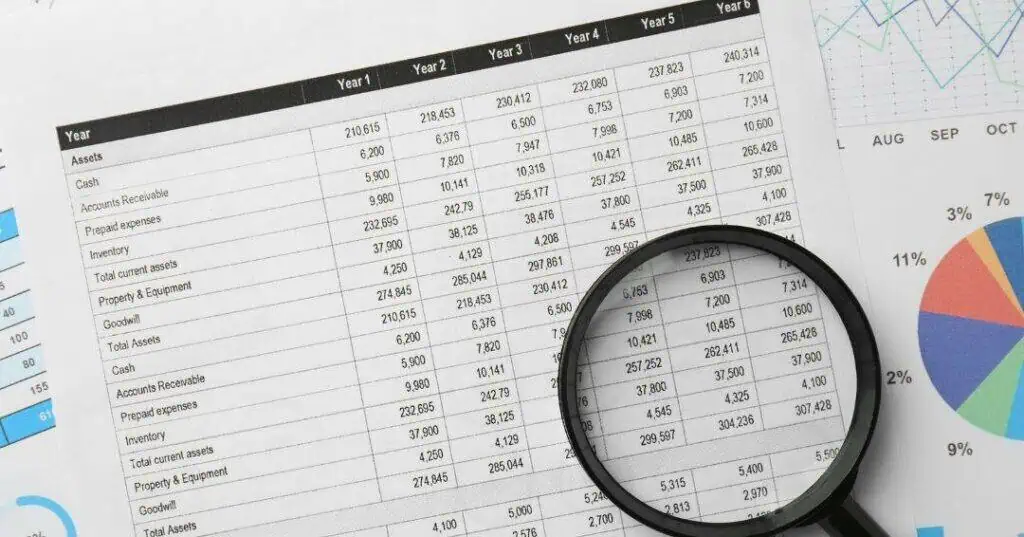



Yes, automating your billing can improve accounts receivable. It speeds up invoicing, cuts manual errors, and gets payment requests to clients faster. Research shows that AR automation can meaningfully reduce days-to-pay, with customers seeing a 34% reduction in days-to-pay when full AR automation is in place. For most businesses, that kind of gain has a direct effect on cash flow.
This article covers how billing automation works, what it does for your AR process, and what to look for when choosing a system.
What Is Billing Automation?
Billing automation uses software to handle tasks that staff would otherwise do by hand. That includes creating invoices, sending payment reminders, tracking account status, and posting payments. Instead of working with spreadsheets and printing statements, your team uses a single system that keeps everything up to date and easy to find.
The goal is not to replace your staff. It is to free them from routine work so they can focus on tasks that require judgment and direct client contact.
Why Does Billing Automation Matter for AR?
A typical AR team spends more than a quarter of its day handling disputes. Research shows that nearly one-third of AR teams’ time is spent on invoice disputes alone. Add in the time it takes to generate invoices, chase reminders, and reconcile payments, and there is little room for anything else.
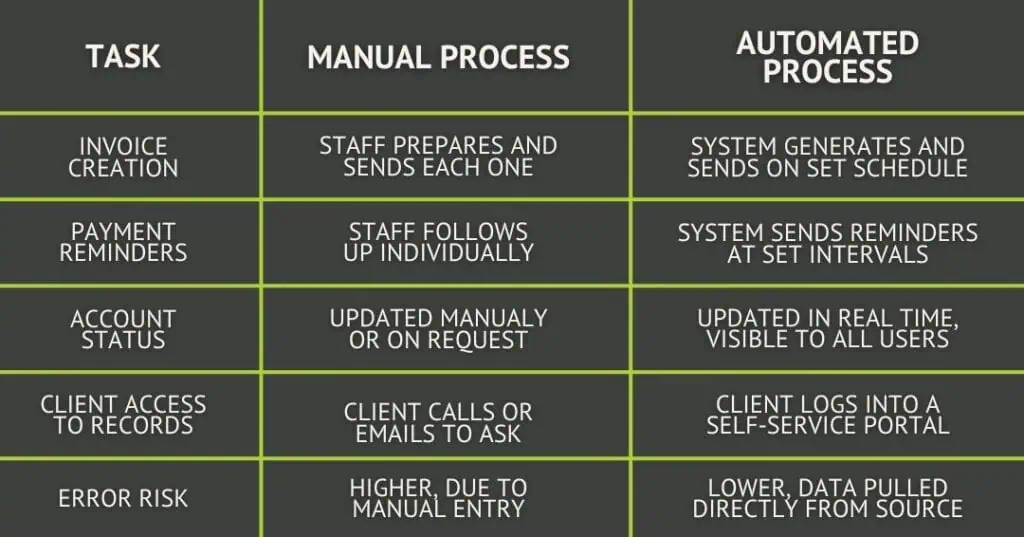
Automated billing handles the routine work. Invoices go out on a set schedule without anyone having to trigger them. Reminders follow at set intervals. Payment status updates in real time. Your team gets that time back to spend on clients who need attention and problems that need human judgment.
Manual Billing vs. Automated Billing
How Does Billing Automation Encourage Prompt Payment?
One of the most common reasons invoices go unpaid is simple: the client never got a clear, timely bill. Automated systems send invoices right away and follow up on a set schedule. Clients know what they owe, when it is due, and what happens if they miss it.
This kind of steady outreach is hard to do by hand. It also removes the awkward task of having a staff member chase a client for payment. The system handles it, which keeps the relationship intact.
How Does Automation Reduce Errors and Improve Transparency?
Manual billing depends on people entering data correctly every time. That is a high bar, especially when staff are managing many accounts at once. Automated systems pull data from the source and apply it to invoices without re-entry. Fewer steps mean fewer chances for errors that slow things down or lead to disputes.
Cloud-based billing systems give your team access to account data from any device, in real time. Every invoice, payment, and update is visible the moment it happens. Clients can also log in to check their account status, reducing calls and emails requesting details that your team would otherwise have to look up.
The same view that helps your staff also helps your clients. Knowing exactly what is owed, with all charges listed in one place, removes a common source of confusion.
What to Look for in a Billing Automation System
When choosing a billing system, look for these features:
- Automated invoice creation and delivery. Once set up, the system should automatically create and send invoices.
- Payment reminders at set intervals. Look for tools that let you set the timing and tone of follow-up messages.
- Real-time account dashboards. You and your team should be able to see every account’s status at a glance.
- A client-facing payment portal. Giving clients a simple way to view and pay invoices reduces friction and speeds up collection.
- Links to your existing software. A system that integrates with your accounting or practice tools will save time and reduce errors.
- Reports and data. Knowing which accounts are aging, how fast you are collecting, and where disputes are building helps you make better decisions.
Frequently Asked Questions About Billing Automation
How long does it take to see results from billing automation?
Most businesses see faster invoice turnaround within the first billing cycle after setup. Broader cash-flow gains typically take two to three months as steady outreach starts to change how clients pay.
Does billing automation work for small practices?
Yes. Cloud-based systems scale to fit any size. Many are priced by volume, so smaller practices pay less. The time savings tend to matter even more for small teams.
Can automated billing hurt client relationships?
Done well, it tends to help them. Clients get clear, steady contact and easy ways to pay. The friction that damages relationships usually comes from uneven follow-up and confusing invoices, both of which automation addresses.
What if an automated invoice goes to the wrong contact?
Good systems let you set and update billing contacts per account. A quick review during setup reduces the risk of invoices landing in the wrong inbox. Most platforms also log delivery and open status, so you can catch problems early.
Is billing automation a replacement for a collections partner?
Not fully. Automation handles the front end of the process well. When accounts move into serious past-due status, a collections partner adds the human judgment and legal awareness that software cannot provide. The two work best together.
When You Need More Than Automation
Automating your billing is one of the most practical steps you can take to strengthen accounts receivable. It reduces the manual work your team carries, gets invoices out faster, and gives clients the clear contact they need to pay on time.
When past-due accounts go beyond what automation can handle, Kinum is ready to help. Our Connect and Collect model gives clients a structured, people-first path to recovering balances, with flat-fee and contingency-based options to fit any size. Reach out to learn how we work with clients across more than 140 industries nationwide.